How to Set a Game Budget You Will Actually Stick To
A simple, practical method for deciding how much to spend on mobile games, tracking it without effort, and using store tools to enforce the limit.

Spending money on games you enjoy is completely reasonable. The trouble starts when spending decisions are made in the moment, during a countdown or right after a frustrating loss. The fix is not willpower; it is deciding in advance and letting tools enforce the decision.
Decide before you play, not during
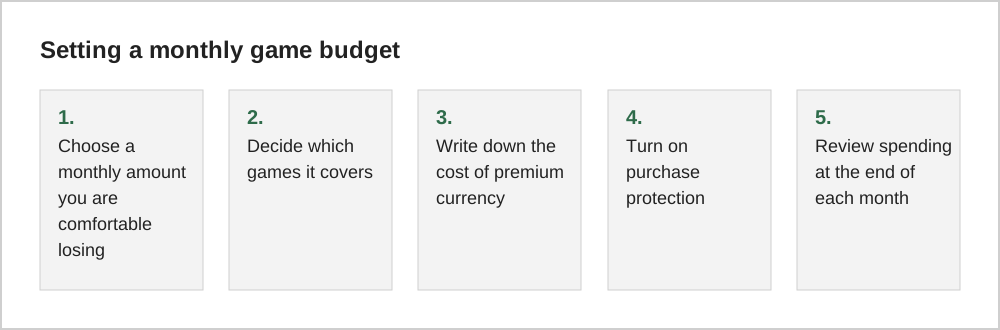
The single most effective rule is to set your budget when you are not playing. Inside the game, every offer is designed to look like a good deal. Outside the game, you can think about what the hobby is worth to you compared with other things you enjoy.
Pick a number that feels like entertainment
One useful way to think about it is to compare games with other entertainment: a cinema ticket, a book, a streaming subscription. If a game gives you many hours of enjoyment, spending a similar amount each month may feel fair. If you would not happily spend that money on other entertainment, it probably should not go into a game either.
Make spending visible
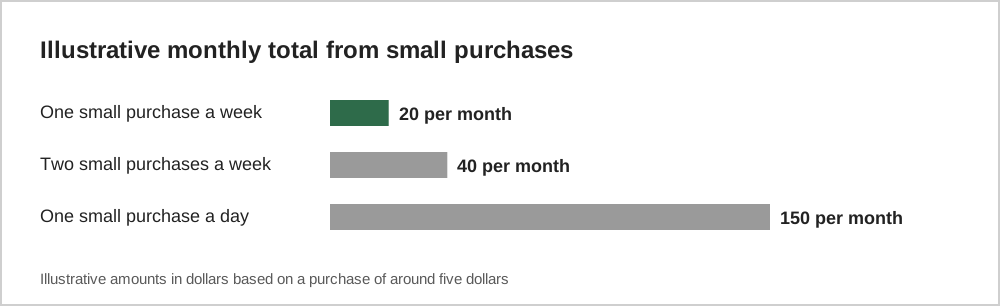
Both major app stores keep a record of your purchases. On Apple devices, your purchase history is available in your account settings; on Google Play, your order history is in your account section of the Play Store. Checking it once a month takes a few minutes and is often eye-opening, because small purchases add up quickly.
Use the tools your phone already has
You can make it harder to spend on impulse:
- Require authentication for every purchase. Both platforms let you require a password, fingerprint or face check for purchases.
- Use gift cards or a prepaid balance. Loading a fixed amount each month creates a natural limit.
- Remove saved cards if impulse purchases are a recurring problem.
- For children, use Ask to Buy on Apple devices or purchase approvals in Google Family Link. See our parental controls guide.
Rules that help in the moment
Even with a budget, in-game offers can be persuasive. A few simple personal rules help:
- Never buy during a countdown; wait until the next day.
- Never buy right after a loss or failed attempt.
- Convert every price into real money before deciding.
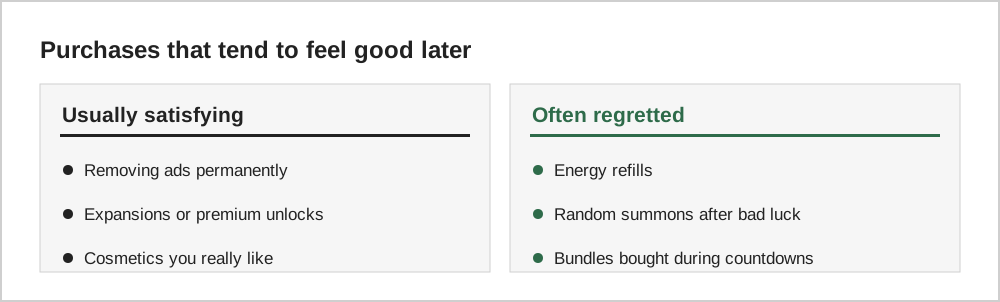
- Prefer one-time purchases with lasting value over consumables.
When spending stops feeling fun
If you notice that you are spending to avoid bad feelings rather than to enjoy something, such as chasing losses or hiding purchases, that is a signal to take a break. Many countries have support services for problem gambling and gaming, and talking to someone you trust can help.
A worked example
Suppose you decide that $15 a month is a comfortable amount for games. You might split it between a $5 monthly pass in your main game and $10 for occasional purchases, such as a premium game or a bundle you have been considering. At the end of each month, any unspent amount simply stays in your bank account; it does not need to be used.
Over a year this is $180, a figure many people find reasonable for a hobby. Seeing the annual total also helps when a single offer costs $50: it represents more than three months of your planned spending, which makes it easier to judge.
Prepaid cards and gift cards
Some players load their app store account with a gift card at the start of each month and avoid linking a credit card at all. When the balance runs out, spending stops naturally. This approach is especially useful for teenagers, because it gives them control within clear limits.
Common questions
Should I include subscriptions in my game budget?
Yes. Monthly game memberships, passes and app subscriptions are part of what gaming costs you each month. Including them gives a realistic total and helps you notice subscriptions you no longer use.
What if I go over budget one month?
Treat it as information rather than failure. Look at what triggered the extra spending, such as a countdown offer or a frustrating level, and add a personal rule to handle that situation next time.
The short version
Set your budget outside the game, make purchases visible, use your phone's purchase protections and prepaid balances, and follow a few simple rules during play. Spending on games can be part of a healthy hobby when the decision is yours rather than the offer's.